Tycoon, but One Dropper Candy: Halloween Event Guide
Tycoon, but one dropper candy comes from Halloween pails and a free code. Learn how to collect it while upgrading your factory during the seasonal event.
Jump to
How to Get Tycoon, but one dropper Candy
Grab Halloween pails as you build your factory: Tycoon, but one dropper candy is a seasonal currency you can collect alongside your regular income. The Halloween code also awards 25 Candy and a temporary cash boost, giving you an immediate event reward while helping fund upgrades. This Tycoon, but one dropper candy guide covers collecting pails, redeeming that code, and keeping your factory moving during the October 2026 Halloween event.
There are two ways to get candy covered here: picking up event pails and redeeming the Halloween code. Pails appear during normal factory play, so watch your surroundings while moving between purchases.
| Candy method | Reward | What to do |
|---|---|---|
| Halloween candy pails | Pickups include 4, 5, or 6 Candy | Collect pails when they appear nearby |
Halloween code | 25 Candy and 2x Cash for 10 minutes | Enter the code through the Codes menu |
The distinction matters: the code gives you a set reward, while pails give you something to collect throughout a session. Use both rather than relying entirely on the redemption screen.
Start by opening Tycoon, but one dropper on Roblox. Once your base loads, follow the tutorial and begin developing your single-dropper factory. Keep an eye out for Halloween pickups as you work through the available upgrades.
The game’s October 2026 version is Update 3.1, which adds Sky Wing expansions and faster early-to-midgame progression. Candy collection fits around that factory loop: earn cash, purchase upgrades, and collect event pails when you spot them.
Collect Halloween Pails Between Factory Upgrades
Candy pails give you a reason to look around while your cash builds up. During the Halloween event, nearby pails appear as collectible pickups, and the game includes a notification about a pail appearing nearby.
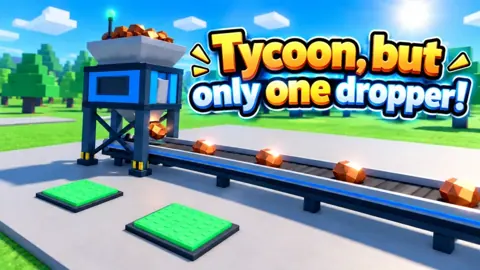
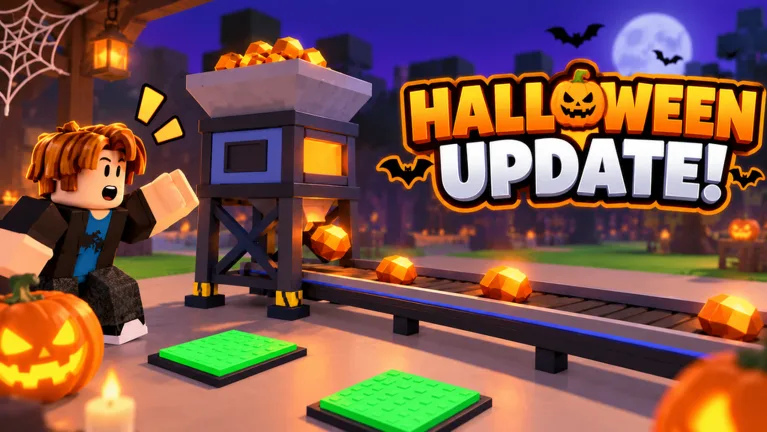 Image: Roblox / •Simple Games
Watch for that notification while waiting for an expensive purchase. Instead of staring at a red upgrade button, look around your factory for the event pickup.
Pickup rewards include 4 Candy, 5 Candy, and 6 Candy. Those amounts make individual pails worth collecting, but they do not give you a fixed candy-per-minute target. Build your routine around spotting pickups rather than expecting every lap of the factory to produce the same reward.
Keep Your Collection Route Simple
Use your normal upgrade trips as opportunities to look for candy:
- Check the area around your next factory purchase.
- Look around when a nearby-pail notification appears.
- Collect a visible pail before returning to your upgrades.
- Watch for the candy reward message after the pickup.
- Check your candy balance as you continue playing.
Tycoon, but one dropper candy collection works naturally during the pauses between purchases. Cash costs climb as your factory expands, leaving stretches when you are waiting to afford the next machine. Use those stretches to check for nearby pails.
Avoid turning every upgrade trip into a long search. If you see a pickup, grab it; otherwise, continue building. This keeps your attention on both parts of the event session without making candy hunting feel like a separate chore.
The important habit is noticing the pickup. A factory full of conveyors, machines, and purchase buttons gives you plenty to watch already. When the event notification appears, take a moment to scan your surroundings before buying the next upgrade.
Redeem the Halloween Code for 25 Candy
The candy code to enter is Halloween. For the October 2026 event, it awards 25 Candy plus 2x Cash for 10 minutes.
That bundled reward serves two purposes. The candy adds directly to your event balance, while the temporary cash multiplier supports the regular upgrade loop. Plan to keep playing after redeeming it so you can spend the boost window working on your factory.
| Step | Action |
|---|---|
| 1 | Launch the game on Roblox and wait for your base to load |
| 2 | Click or tap Codes on the right side of the screen |
| 3 | Paste Halloween into the Enter code here field |
| 4 | Select Redeem |
| 5 | Check for the redemption message and your rewards |
Copy the code exactly as written, including its capitalization, and remove any extra spaces. This avoids a preventable typing problem before you start troubleshooting the redemption itself.
For Tycoon, but one dropper candy, Halloween is the relevant code. The other current October codes have different rewards:
Update3gives 2x Cash for 15 minutes.Geargives 15 Scrap.
Use those rewards for their respective systems. Redeeming Gear adds Scrap rather than candy, and Update3 supplies a cash multiplier rather than an event-currency payout.
Make the Cash Boost Window Useful
Before entering Halloween, look at your available factory purchases. Identify the income upgrades you want to work toward, then redeem the code when you have time to continue playing.
During the boost, keep checking which purchases have become affordable. Reinvest cash in income-producing upgrades as you progress, and collect nearby candy pails along the way.
If the code fails, check its spelling and spacing. A rejected code can also mean it has expired or has already been redeemed on your account. Follow the developer’s channels through the game’s Roblox page for new code announcements.
Understand Candy, Cash, and Scrap
Your factory has several reward systems, and their balances serve different purposes. Keeping them straight helps you understand what you actually received after redeeming a code or collecting a pickup.
Cash funds the main factory progression. You spend it on upgrades, improve your income, and work toward further expansion.
Candy belongs to the Halloween event. The pails and Halloween code are the collection methods to focus on during the seasonal update.
Scrap connects to the Blacksmith and equipment. The Blacksmith includes a Scrap Tools Box, and equipment obtained there appears in My Gear.
| Resource or reward | Role | Relevant example |
|---|---|---|
| Candy | Halloween event currency | Pails and the Halloween code |
| Cash | Factory purchases and upgrades | Improving the single-dropper setup |
| Scrap | Blacksmith equipment system | Gear awards 15 Scrap |
| Temporary 2x Cash | Increased cash earnings for a limited duration | Halloween includes a 10-minute boost |
This distinction is especially useful when several rewards arrive close together. A successful code redemption does not always mean your candy balance should increase. Check the reward attached to the code you entered.
Keep Tycoon, but one dropper candy goals separate from cash milestones. A more developed factory reflects your regular progression; candy pickups reflect your event collection. Track each balance directly instead of using one as a measure of the other.
The same applies to equipment. Opening a Blacksmith box and equipping an item belongs to the gear system. Handle those upgrades when you want to work on equipment, then return to watching for Halloween pails during factory play.
Keep Your Factory Earning While You Hunt Candy
The factory still revolves around one dropper. Your progression comes from improving that setup, purchasing machines, and expanding the base rather than filling a plot with rows of separate droppers.
Prioritize purchases that increase income. Check the displayed benefit before spending, especially when you are close to affording another machine.
The game uses green and red purchase indicators: green means you have enough cash, while red means you need more. Use those colors to quickly assess your options, then read the upgrade before committing your earnings.
| Factory feature | What it contributes |
|---|---|
| Dropper upgrades | Improve the machine at the center of your factory |
| Stampers and other processing machines | Apply displayed drop-value multipliers |
| Income-producing additions | Increase your factory’s cash earnings |
| Factory expansions | Develop your setup further |
| Update 3.1 Sky Wing additions | Add further expansion content |
Use Waiting Time for Event Pickups
When the next purchase is out of reach, check for candy pails. Return to your upgrade buttons after collecting one and see whether your cash has caught up.
This creates a straightforward session rhythm:
- Check which income upgrades you can afford.
- Purchase the upgrade you want to prioritize.
- Watch for nearby Halloween pails while cash accumulates.
- Collect visible pails and check the reward.
- Return to the factory’s next purchase.
Treat this as a flexible routine. A nearby pickup is worth a short detour, while an affordable income upgrade gives you another way to move the factory forward.
Separate Paid Automation From Candy Collection
The game offers an Auto Upgrade pass for 12 Robux, which automatically buys upgrades. Other passes include permanent 2x Cash, Turbo Dropper, VIP, and Lucky Drops.
The free candy methods covered here are the Halloween code and event pails. Start with those actions when your goal is collecting Tycoon, but one dropper candy.
Read paid-pass descriptions in terms of the benefit they advertise. Auto Upgrade handles purchases, while the permanent 2x Cash pass doubles cash. Match any purchase to the factory feature you actually want.
Finish With a Quick Balance Check
Before ending a session, check your candy total, your current cash, and your next upgrade target. Keeping those three things in mind gives you a clear place to resume.
For Tycoon, but one dropper candy, the useful habits are simple: redeem the event code, notice nearby-pail notifications, and collect pickups during your regular factory trips. Keep improving your income between those collections so the rest of your tycoon continues moving forward.
FAQ
How do you get Tycoon, but one dropper candy?
Collect Halloween candy pails that appear nearby during the event and redeem Halloween. The code awards 25 Candy along with 2x Cash for 10 minutes.
How much candy does each Halloween pail give?
Pail rewards include 4, 5, and 6 Candy. Check the reward message after collecting a pickup to see how much it added to your balance.
Where do you enter the Halloween code?
Open Codes on the right side of the screen, paste Halloween into the Enter code here field, and press Redeem. Enter it exactly as written without extra spaces.
Do Update3 and Gear give candy too?
Update3 gives 2x Cash for 15 minutes, while Gear gives 15 Scrap. Use Halloween for the 25-Candy reward, then collect event pails as you continue building your factory.
Continue with
 Tycoon, but One Dropper Money Fast: Earn More CashTycoon, but one dropper money fast tips: prioritize income upgrades, use cash boosts, claim rewards, and keep your factory growing with smart spending.
More in Currencies
See all CurrenciesPopular pages
Tycoon, but One Dropper Codes: Free Rewards in October
Get Tycoon, but one dropper codes for Candy, Scrap, and 2x Cash boosts. Find current rewards, expired codes, and steps to redeem them in Roblox today.
Tycoon, but One Dropper Leaderboard: Top 100 Rank Guide
Explore the Tycoon, but one dropper leaderboard, Top 100 nametags, cash upgrades, and rebirth milestones. Plan your next factory push with practical tips.
Tycoon, but One Dropper Discord: Community Join Guide
Find the Tycoon, but one dropper discord community, follow update news, check reward codes, and get practical help with upgrades, gear, and factory growth.
Tycoon, but One Dropper Controls: Upgrades and Menus
Learn Tycoon, but one dropper controls for upgrades, codes, gear, and rewards. Navigate factory menus and plan your next purchases with a beginner guide.
Join the community
Official channels for news, updates and player help: