Tycoon, but One Dropper Codes: Free Rewards in October
Get Tycoon, but one dropper codes for Candy, Scrap, and 2x Cash boosts. Find current rewards, expired codes, and steps to redeem them in Roblox today.
Jump to
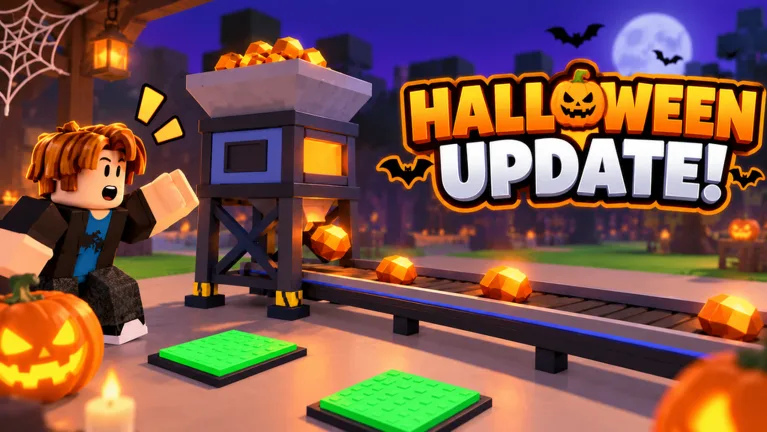
Tycoon, but one dropper Codes for October 2026
Put your single dropper to work with Tycoon, but one dropper codes that unlock Candy, Scrap, and temporary cash boosts. Those rewards help you collect materials and increase your earnings while you work toward the next factory upgrade. Start with the three current Tycoon, but one dropper codes below, then redeem them through the Codes button on the right side of your screen.
The October rewards include two separate 2x Cash boosts and a Scrap reward. Copy the code itself, without adding spaces or any surrounding punctuation.
| Code | Reward |
|---|---|
Halloween | 25 Candy and 2x Cash for 10 minutes |
Update3 | 2x Cash for 15 minutes |
Gear | 15 Scrap |
October 15, 2026: Halloween, Update3, and Gear are the current codes to use. The older BOOST, FREE, and RELEASE rewards belong in the expired list below.
If you want the Halloween rewards, enter Halloween during a session when you have time to keep playing. It includes both Candy and a temporary income boost, so plan around both parts of the reward.
Update3 provides a longer individual cash boost than Halloween, while Gear gives you Scrap rather than money. Redeem all three to collect the different reward types instead of stopping after the cash bonuses.
Open the official Tycoon, but one dropper Roblox experience when you are ready to claim them.
Expired Codes and Older Rewards
These older Tycoon, but one dropper codes have expired. Keep them separate from the current rewards so you do not spend your session repeatedly entering outdated entries.
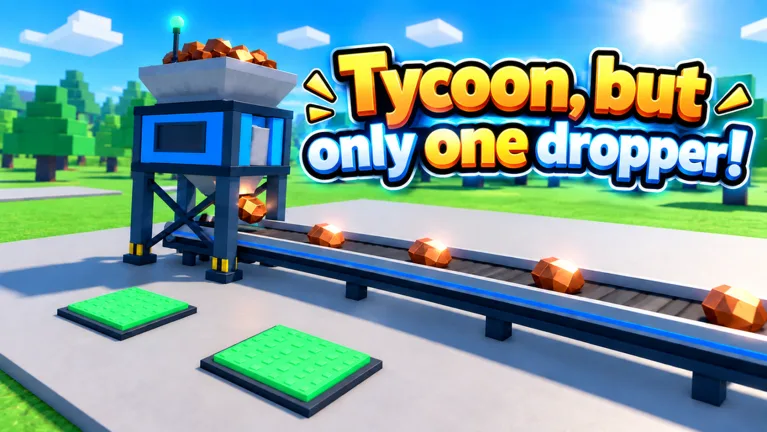 Image: Roblox / •Simple Games
| Expired code | Previous reward |
|---|---|
BOOST | 2x Cash for 30 minutes |
FREE | 50,000 Cash |
RELEASE | 10,000 Cash |
The distinction matters because those older rewards include direct cash payments. Neither Halloween nor Update3 gives you the former 50,000-Cash payout: their cash rewards are temporary earning multipliers.
If you remember getting a lump sum from a code earlier in the game’s life, that does not mean a current boost works the same way. Check the reward description before redeeming so you know whether to look for currency, materials, or a timed bonus.
Do not confuse the expired BOOST code with every other way to receive a cash boost. The game also has a reward wheel, and cash boosts appear among its rewards. An expired promo code does not remove that separate activity.
For the current code rewards, return to Halloween, Update3, and Gear. Repeatedly changing the capitalization of an expired entry will not bring its reward back.
How to Redeem Tycoon, but one dropper Codes
You redeem Tycoon, but one dropper codes through a dedicated menu. Look along the right side of the screen after your base loads; the code entry box is separate from the purchase buttons around your factory.
| Step | What to do |
|---|---|
| 1 | Launch Tycoon, but one dropper on Roblox and wait for your base to load. |
| 2 | Select the Codes button on the right side of the screen. |
| 3 | Paste a current code into the Enter code here field. |
| 4 | Select Redeem to claim its reward. |
Enter each code separately. Copy Halloween, redeem it, and then repeat the process for Update3 and Gear. Keep the spelling exactly as it appears in the current table to avoid unnecessary typing mistakes.
After each redemption, check the response before moving to the next entry. Match what you receive to the reward: Candy and a cash boost for Halloween, a cash boost for Update3, and Scrap for Gear.
Why Is a Code Not Working?
Check these common problems before trying again:
- Extra spaces: Remove any blank space before or after the code.
- Typing mistakes: Copy the entry directly instead of retyping it.
- Previous redemption: Check whether you already claimed that code on your account.
- Expiration: Make sure the entry is in the current table rather than the expired table.
Start with the text itself. An accidental space is easy to miss, especially when copying on a phone. Clear the field, paste only the code, and select Redeem again.
If you already claimed the reward, move on to the next entry. Re-entering a used code will not provide another copy of its items or boost.
Also, check which reward you expected. A successful Gear redemption gives Scrap, so your cash balance is not the place to look for that reward.
Make Your Code Rewards Count
The rewards from Tycoon, but one dropper codes serve different purposes. Cash boosts support the factory’s earning loop, Candy belongs to the Halloween event, and Scrap connects to the Blacksmith equipment system.
| Reward type | What it provides | Related game activity |
|---|---|---|
| 2x Cash | A temporary cash-earning multiplier | Earning money for factory upgrades |
| Candy | A Halloween event reward | Collecting Halloween candy pails |
| Scrap | A material used at the Blacksmith | Buying a Scrap Tools Box for equipment |
Spend Your Boosted Session on Income Upgrades
Cash pays for upgrades, and those upgrades help your setup earn more money. Keep that loop moving while you play: earn, purchase an income upgrade, and work toward the next one.
Prioritize purchases that increase income when choosing between available upgrades. Read the upgrade text before spending, especially when several green purchase buttons compete for your attention.
The current cash rewards have clear time limits:
Halloweengives 2x Cash for 10 minutes.Update3gives 2x Cash for 15 minutes.
Set aside time to play before redeeming these rewards. Finish any plans to leave the game first, then claim a boost when you are ready to focus on your factory.
As prices climb, compare the next purchase with your current earnings. Keep your attention on the upgrades you can work toward rather than letting a distant expansion price distract you from the purchases available now.
Use Scrap at the Blacksmith
Gear gives 15 Scrap. At the Blacksmith, a Scrap Tools Box costs 15 Scrap and awards equipment.
That makes the code especially useful when you want to try the equipment system. Head to the Blacksmith, check the Scrap Tools Box, and review your equipment through My Gear after opening it.
Keep your expectations tied to the actual reward: Gear supplies the material for a box. It does not promise a particular piece of equipment.
Scrap also gives you a reason to check activities beyond the main conveyor. Once you have claimed the code, look over your other available rewards while your factory continues producing income.
Keep Candy Separate From Your Upgrade Budget
Halloween includes 25 Candy alongside its cash boost. Treat those as separate rewards: the multiplier affects cash earnings, while Candy belongs to the seasonal event.
During the Halloween update, candy pails also appear around the tycoon. Watch for them while moving between purchases and other activities.
Collect Candy from nearby pails as you explore your factory. Check your Candy reward separately from your cash boost so you do not mistake it for extra cash.
Find New Codes and Keep Progressing Between Updates
For more Tycoon, but one dropper codes, follow Simple Games through the community links attached to the game’s Roblox page. The Simple Games Discord is another place to watch for code announcements and game updates.
Use the Tycoon, but one dropper game page to reach the experience and its linked community channels. Check back around updates for new rewards, and remember that older codes can expire.
The game is on Update 3.1, with its latest recorded update dated October 14, 2026. This version adds Sky Wing expansions, faster early-to-midgame progression, a top-100 leaderboard with nametags, new icons, and bug fixes.
Keep building between code releases. The main loop still revolves around improving your single-dropper setup, expanding the factory, and working toward rebirths.
Check Group Rewards, Dailies, and the Wheel
Simple Games offers group rewards separately from promo codes. Join through the game’s group links, then check the relevant reward in the experience.
You also have other activities to revisit:
- Daily rewards: Check for available claims.
- Daily and weekly quests: Review your objectives and collect completed rewards.
- Reward wheel: Use available free spins.
- Halloween candy pails: Collect them while moving around your tycoon.
Fit those checks into your upgrade routine. Review quests after making purchases, collect available rewards, and return to the factory instead of waiting for another code to make progress.
The wheel can award temporary cash boosts, giving you another reason to check it during longer sessions. Read the reward you land on rather than assuming every spin pays cash directly.
Finally, keep promo boosts separate from paid passes. The game sells a permanent 2x Cash pass, while the current codes provide timed bonuses. Use the duration listed beside each code when planning your session.
FAQ
What Are the Current Tycoon, but one dropper Codes?
The current Tycoon, but one dropper codes are Halloween, Update3, and Gear. They award 25 Candy plus a 10-minute 2x Cash boost, a 15-minute 2x Cash boost, and 15 Scrap, respectively.
Where Is the Codes Button?
The Codes button is on the right side of the screen. Select it, paste an entry into Enter code here, and press Redeem.
Does the FREE Code Still Give 50,000 Cash?
FREE has expired. Its previous reward was 50,000 Cash. The older BOOST and RELEASE codes are also expired.
Do I Need Robux to Redeem Codes?
No Robux purchase is part of the redemption steps. Enter a current code through the Codes menu to claim its reward. Paid passes, including permanent 2x Cash and Auto Upgrade, are separate purchases.
Popular pages
Tycoon, but One Dropper Discord: Community Join Guide
Find the Tycoon, but one dropper discord community, follow update news, check reward codes, and get practical help with upgrades, gear, and factory growth.
Tycoon, but One Dropper Candy: Halloween Event Guide
Tycoon, but one dropper candy comes from Halloween pails and a free code. Learn how to collect it while upgrading your factory during the seasonal event.

Tycoon, but One Dropper Controls: Upgrades and Menus
Learn Tycoon, but one dropper controls for upgrades, codes, gear, and rewards. Navigate factory menus and plan your next purchases with a beginner guide.
Tycoon, but One Dropper 2x Cash: Boosts & Pass Guide
Get Tycoon, but one dropper 2x cash with timed codes or the permanent pass. Compare the 249 Robux upgrade, rewards, and tips to grow your factory faster.
Join the community
Official channels for news, updates and player help: