Tycoon, but One Dropper Nano Polisher: Upgrade Guide
Tycoon, but one dropper nano polisher costs $160 trillion in Update 3.1. Compare upgrade prices, plan purchases, and use cash boosts to grow your factory.
Jump to
How Much Does the Nano Polisher Cost?
The Tycoon, but one dropper nano polisher costs $160 trillion in Update 3.1, putting a substantial purchase on your factory’s shopping list. That price makes your income upgrades worth checking before you commit your savings. Use this Tycoon, but one dropper nano polisher guide to compare purchase costs, organize your spending, and make use of cash rewards while you build.
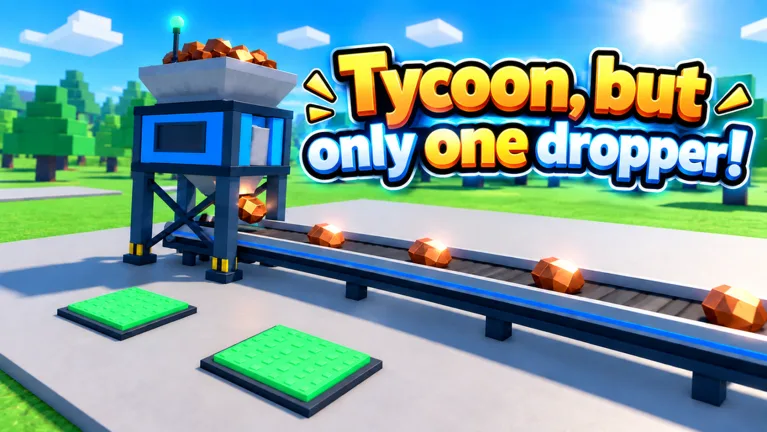
Your factory revolves around a single dropper, with additional machines and upgrades supporting its money-making setup. Progress comes from earning cash, buying improvements, and expanding your base. By the time trillion-dollar purchases appear, managing that loop matters more than simply buying whichever button catches your eye.
Here are three purchases to keep distinct when planning your budget:
| Purchase | Update 3.1 cash price |
|---|---|
| Nano Polisher | $160 trillion |
| Factory expansion | $160 trillion |
| Phantom Printer | $470 trillion |
The matching prices for Nano Polisher and the factory expansion make the labels especially important. Read the purchase name before spending; those are separate items with the same listed cost.
Phantom Printer also belongs on your planning list because its price is considerably higher. Keep its $470 trillion cost in mind when deciding how much cash to hold, but compare whatever purchases are actually available in your own factory.
For the Tycoon, but one dropper nano polisher, use $160 trillion as your budget target. Check the current purchase button before paying, especially when returning after an update. Update 3.1 includes faster early-to-midgame progression, so build your spending plan around the factory you are playing now.
Build Your Income Before Saving for $160 Trillion
Saving for an expensive machine starts with the upgrades you buy along the way. The game’s central loop rewards attention to your money-making setup: earn cash, improve the factory, and put the resulting income toward more purchases.
 Image: Roblox / •Simple Games
Prioritize income-producing upgrades while working toward Nano Polisher. Check the dropper area and your existing machinery before wandering through the rest of the base. Keep the displayed cash-per-second figure in view so you can judge how your purchases affect earnings.
Use this checklist to organize each spending decision:
| What to inspect | What to do |
|---|---|
| Current cash balance | Compare it with the purchase price before spending. |
| Cash-per-second display | Check your income before and after buying an upgrade. |
| Available income upgrades | Review the money-making purchases around your setup. |
| Factory expansion button | Read its name and cost separately from machine upgrades. |
| Next expensive machine | Keep its price in mind when choosing your immediate purchase. |
Follow the Tutorial, Then Keep Checking Your Machinery
If you are still developing the base, follow the tutorial arrow to get started. Early progression includes purchases such as a solar panel, along with upgrades around the central setup.
Continue checking those areas as your factory grows. The broader purchase lineup includes equipment such as a wind turbine, water tower, and Turbo Motor. Read each available upgrade’s display instead of choosing solely by its appearance or name.
When saving for the Tycoon, but one dropper nano polisher, compare an immediate purchase with your longer-term cash target. Ask whether the purchase increases your earnings, opens an expansion you want, or simply spends money you intended to keep.
Watch Income Alongside Your Balance
A growing cash balance tells you what you can afford right now. The cash-per-second display helps you understand the pace of your factory.
Check both before making another large purchase. After buying a money-making upgrade, look at the income display again. Use that change to guide your next decision rather than assuming every purchase contributes equally.
Avoid turning the $160 trillion target into a reason to ignore the rest of your factory. Review available income upgrades regularly, then choose deliberately between investing and continuing to save.
Use Cash Boosts and Rewards During Your Upgrade Run
Cash rewards provide another way to support your factory’s growth. Tycoon, but one dropper includes redeemable codes, daily rewards, daily requests, and a free-spin wheel.
For a Tycoon, but one dropper nano polisher run, focus on rewards that help fund purchases or increase cash earnings. Keep candy and Scrap separate in your planning: those rewards belong to other parts of the game.
These cash-boost codes offer timed rewards:
| Code | Cash reward |
|---|---|
Halloween | 2x Cash for 10 minutes, plus 25 Candy |
Update3 | 2x Cash for 15 minutes |
BOOST | 2x Cash for 30 minutes |
Codes have limited availability. Enter each one exactly as written, and remove extra spaces before redeeming it.
How to Redeem a Code
- Open Tycoon, but one dropper on Roblox.
- Select the Codes button on the right side of the screen.
- Paste the code into the Enter code here field.
- Press Redeem.
Redeem timed cash boosts when you are ready to keep playing and buying upgrades. Before entering a code, take a quick look around your factory and identify the purchases you want to work toward.
Keep the reward types straight, too. Halloween includes both a cash boost and Candy, while Gear awards 15 Scrap. Put cash rewards toward your factory budget and use Scrap with the Blacksmith system.
Check Daily Rewards and Free Spins
Claim available daily rewards and completed daily requests while managing your upgrades. Check the free-spin wheel when it becomes available as well.
Wheel rewards include cash rewards labeled as five minutes or 30 minutes of cash. Check what you receive before updating your purchase plan, since the wheel also awards other items.
After collecting a cash reward, revisit your available upgrades. Compare your new balance with the Nano Polisher price, then inspect the other money-making purchases around your base. A reward is a useful opportunity to reassess your spending instead of immediately buying the nearest button.
Understand Paid Upgrades Before Spending Robux
Nano Polisher has a cash price of $160 trillion in Update 3.1. The experience also sells game passes with separate Robux prices and benefits.
Keep those two budgets distinct. Review what each pass does before deciding whether you want its feature.
| Game pass | Robux price | Benefit |
|---|---|---|
| 2x Cash | 249 Robux | Doubles all cash permanently |
| Auto Upgrade | 12 Robux | Automatically buys every upgrade |
| Turbo Dropper | 199 Robux | Makes the dropper drop 50% faster |
| VIP | 249 Robux | Includes x1.5 cash, a VIP-only Money Printer upgrade, and a VIP chat tag |
| Lucky Drops | 149 Robux | Provides golden x10 drops from the start |
These passes affect different parts of the experience. Auto Upgrade automates purchases, while 2x Cash changes cash earnings. Turbo Dropper changes drop speed, and Lucky Drops provides golden drops from the start.
Read the benefit that matches your goal rather than comparing prices alone. For example, automatic purchasing and a permanent cash multiplier are different features, even though both relate to factory progression.
If you want to choose purchases manually while saving for the Tycoon, but one dropper nano polisher, consider Auto Upgrade’s automatic buying behavior before purchasing it. Keep your preferred spending style in mind alongside the listed price.
VIP also bundles several benefits. Compare the cash multiplier and Money Printer access with the complete package instead of judging it only by the chat tag.
Review passes inside the experience through the official Tycoon, but one dropper Roblox page. Check the displayed price before completing a Robux purchase, and choose based on the feature you actually want.
Plan Your Factory Beyond Nano Polisher
Nano Polisher is one purchase within a larger factory-building loop. Update 3.1 adds Sky Wing expansions, faster early-to-midgame progression, and a top-100 leaderboard with nametags.
Keep your next goal specific. You might be saving for Nano Polisher, considering the $160 trillion factory expansion, or looking ahead to Phantom Printer at $470 trillion. Separate those targets so an affordable purchase does not become an automatic purchase.
Before spending a large balance, run through this checklist:
- Read the purchase name and displayed price.
- Check your current cash-per-second figure.
- Inspect available money-making upgrades.
- Claim completed daily rewards or requests.
- Check the free-spin wheel.
- Decide which purchase you want to fund next.
Keep Expansion and Machine Purchases Separate
A factory expansion and a machine can compete for the same cash budget. Compare their labels and displayed benefits before choosing between them.
For the Tycoon, but one dropper nano polisher, that distinction is particularly useful because the $160 trillion price also appears on a factory expansion. Keep your intended purchase in mind as you move around the base.
Look beyond the immediate button, too. Review the other available purchases before committing your balance. Choose the upgrade or expansion that serves your current goal, then return to building income toward the next one.
Give Rebirth Its Own Decision
Rebirth is another part of the game’s progression. Consider it alongside your factory goals rather than treating every expensive machine as the end of a run.
Before choosing a rebirth, review the in-game information and decide what you want to accomplish with your current factory. Keep that decision separate from whether you can afford another machine.
Once you purchase Nano Polisher, check your cash balance and income display again. Review the next available upgrades, choose a new target, and continue the same earn-and-upgrade routine. Keeping track of those decisions gives every large purchase a clear purpose.
FAQ
How much does the Tycoon, but one dropper nano polisher cost?
The Tycoon, but one dropper nano polisher costs $160 trillion in Update 3.1. Check the purchase name carefully because a factory expansion also has a $160 trillion price.
How much does Phantom Printer cost?
Phantom Printer costs $470 trillion in Update 3.1. Compare that price with your cash balance and available income upgrades when planning purchases beyond Nano Polisher.
Which codes give cash boosts?
Halloween gives 2x Cash for 10 minutes plus 25 Candy. Update3 gives 2x Cash for 15 minutes, and BOOST gives 2x Cash for 30 minutes. Redeem available codes through the Codes button on the right side of the screen.
What does Auto Upgrade do?
Auto Upgrade automatically buys every upgrade and costs 12 Robux. Review that automatic purchasing behavior before buying it if you prefer to choose individual upgrades while saving toward a specific machine.
Continue with
 Tycoon, but One Dropper Phantom Printer Price GuideTycoon, but one dropper phantom printer costs $470 trillion in Update 3.1. Plan your upgrades, compare nearby costs, and use cash boosts to keep building.
More in Upgrades
Tycoon, but One Dropper 2x Cash: Boosts & Pass Guide
Get Tycoon, but one dropper 2x cash with timed codes or the permanent pass. Compare the 249 Robux upgrade, rewards, and tips to grow your factory faster.
Tycoon, but One Dropper Auto Upgrade: Price & Tips
Tycoon, but one dropper auto upgrade costs 12 Robux. Learn what it does, compare other passes, and plan your cash upgrades for smoother factory progress.
Tycoon, but One Dropper Coin Counter Upgrade Guide
Use the Tycoon, but one dropper coin counter guide to plan upgrades, track cash per second, claim useful rewards, and keep your factory progression moving.
Tycoon, but One Dropper Money Printer: VIP Upgrade Guide
Tycoon, but one dropper money printer guide: compare VIP perks and game passes, check Robux prices, and plan your next cash upgrades for a growing factory.
Join the community
Official channels for news, updates and player help: